

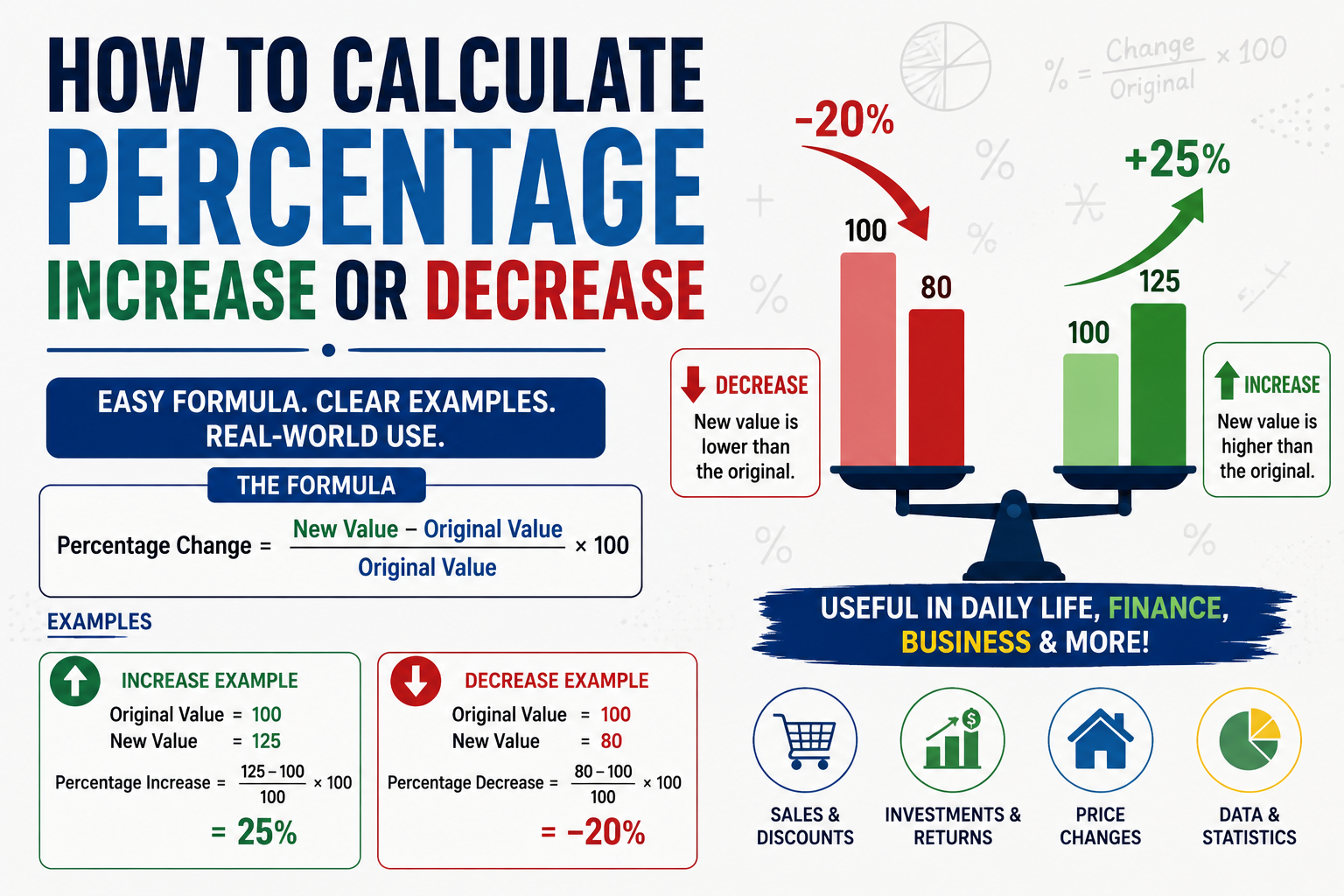
Percentage increase and decrease shows up everywhere — a raise at work, a price markdown, a stat comparing two years of data — and the formula is simple once it clicks, but easy to get backward if you rush it.
The percentage change formula
Percentage change = [(New Value − Old Value) / Old Value] × 100
A positive result means an increase. A negative result means a decrease. The key detail people get wrong is dividing by the old value, not the new one.
Example: percentage increase
A salary goes from $55,000 to $61,000:
(61,000 − 55,000) / 55,000 × 100 = 6,000 / 55,000 × 100 = 10.9% increase
Example: percentage decrease
A product's price drops from $80 to $68:
(68 − 80) / 80 × 100 = −12 / 80 × 100 = −15%, or a 15% decrease
The common mistake: dividing by the wrong number
Using the example above, dividing by the new value (68) instead of the old value (80) gives −17.6% instead of the correct −15%. This is the single most common error in percentage change calculations — always divide by the starting (old) value, since the percentage is measuring change relative to where you started.
Calculating a new value from a known percentage change
Sometimes you need to go the other direction — you know the old value and the percentage change, and want the new value:
New Value = Old Value × (1 + percentage change as a decimal)
A $45 item with a 20% markup: 45 × 1.20 = $54
A $45 item with a 20% discount: 45 × 0.80 = $36
Why percentage points and percentages are not the same thing
If an interest rate moves from 5% to 7%, that is a 2 percentage point increase, but a 40% percentage increase relative to the original 5% [(7−5)/5 × 100 = 40%]. Conflating "percentage points" with "percent" is a common source of confusion in news and financial reporting, and worth being precise about, since the two numbers can look similar but mean very different things.
Tip: for a quick sanity check, if a value roughly doubles, that is a 100% increase, not a 200% increase — the formula measures the size of the change relative to the original, not the size of the new value relative to zero.
Skipping the manual math
The formula itself is simple, but plugging in the right numbers in the right order is where errors happen, especially under time pressure. CalcMastermind's Percentage Calculator handles increase, decrease, and reverse calculations instantly.
The bottom line
Percentage change is always calculated relative to the original value, not the new one — get that one detail right, and the rest of the formula is straightforward arithmetic.